
What’s New in Android at Google I/O 2026 🚀
17 Things Every Android Developer Needs to Know

Google I/O 2026 was one of the most important Android events in recent years.
This wasn’t just another yearly update filled with incremental APIs and tooling improvements.
This year marked a platform-level transformation.
Android is evolving from:
an Operating System → into an Intelligence System
And that changes everything.
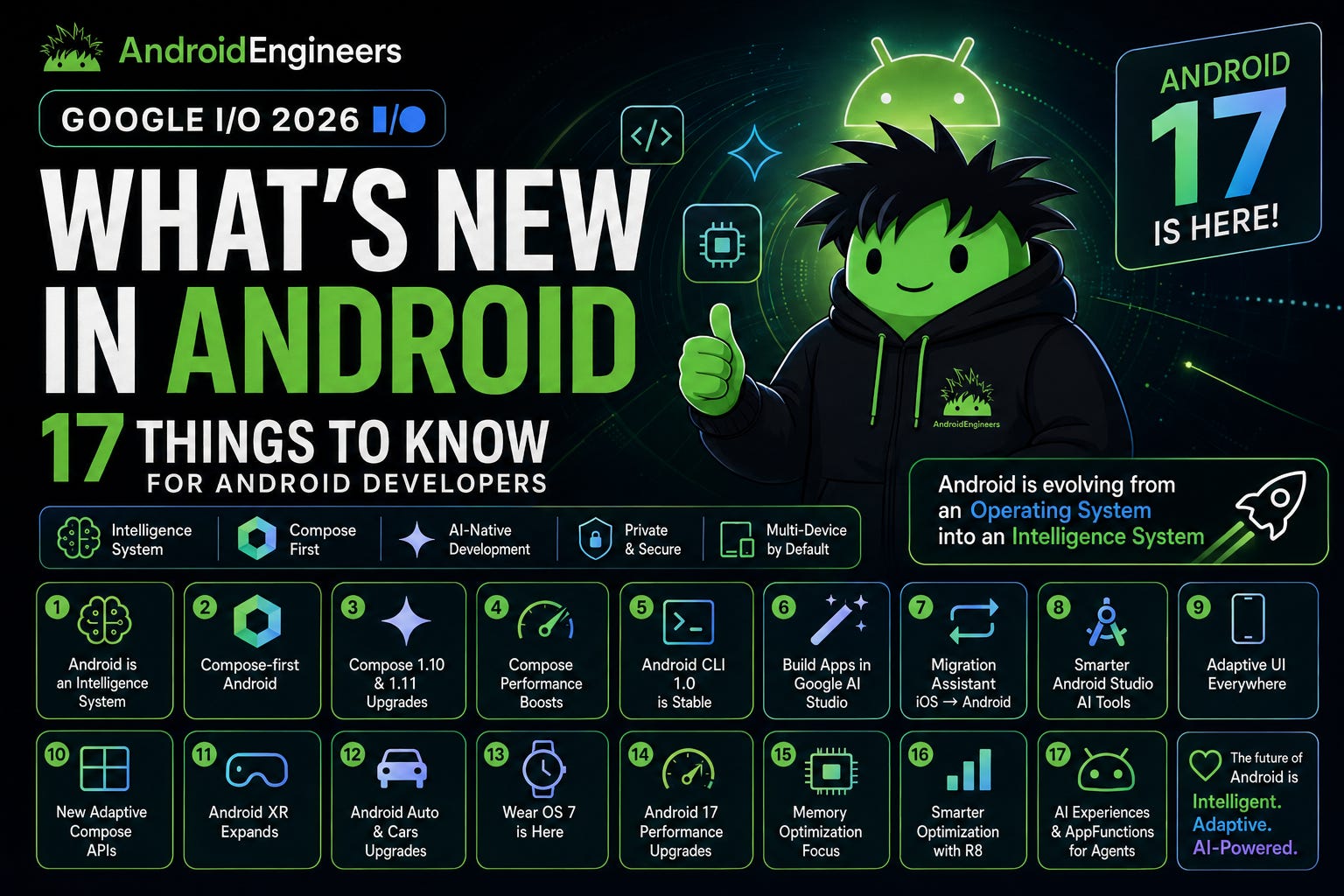
From AI-native app experiences and agentic workflows to Compose-first development, adaptive UI across every device category, Android 17 performance upgrades, Android CLI 1.0, AppFunctions, XR, Wear OS 7, and smarter AI-powered tooling — Google is reshaping the future of Android development.
If you’re an Android engineer, here are the 17 biggest announcements from Google I/O 2026 you absolutely need to know.
1. Android is Becoming an Intelligence System
The biggest message from Google I/O 2026 was simple:
Android is no longer just an operating system.
It’s becoming an Intelligence System.
This means Android is evolving to become:
Context-aware
Proactive
Agent-friendly
AI-native
Multi-device by default
Google wants Android apps to integrate deeply with:
Gemini AI
AI agents
Cross-app orchestration
On-device intelligence
Proactive user experiences
The future Android app won’t just respond to taps.
It will:
✅ Understand context
✅ Predict intent
✅ Coordinate across apps
✅ Work with AI agents
✅ Deliver proactive experiences
This is arguably the biggest Android platform transition since Material Design.
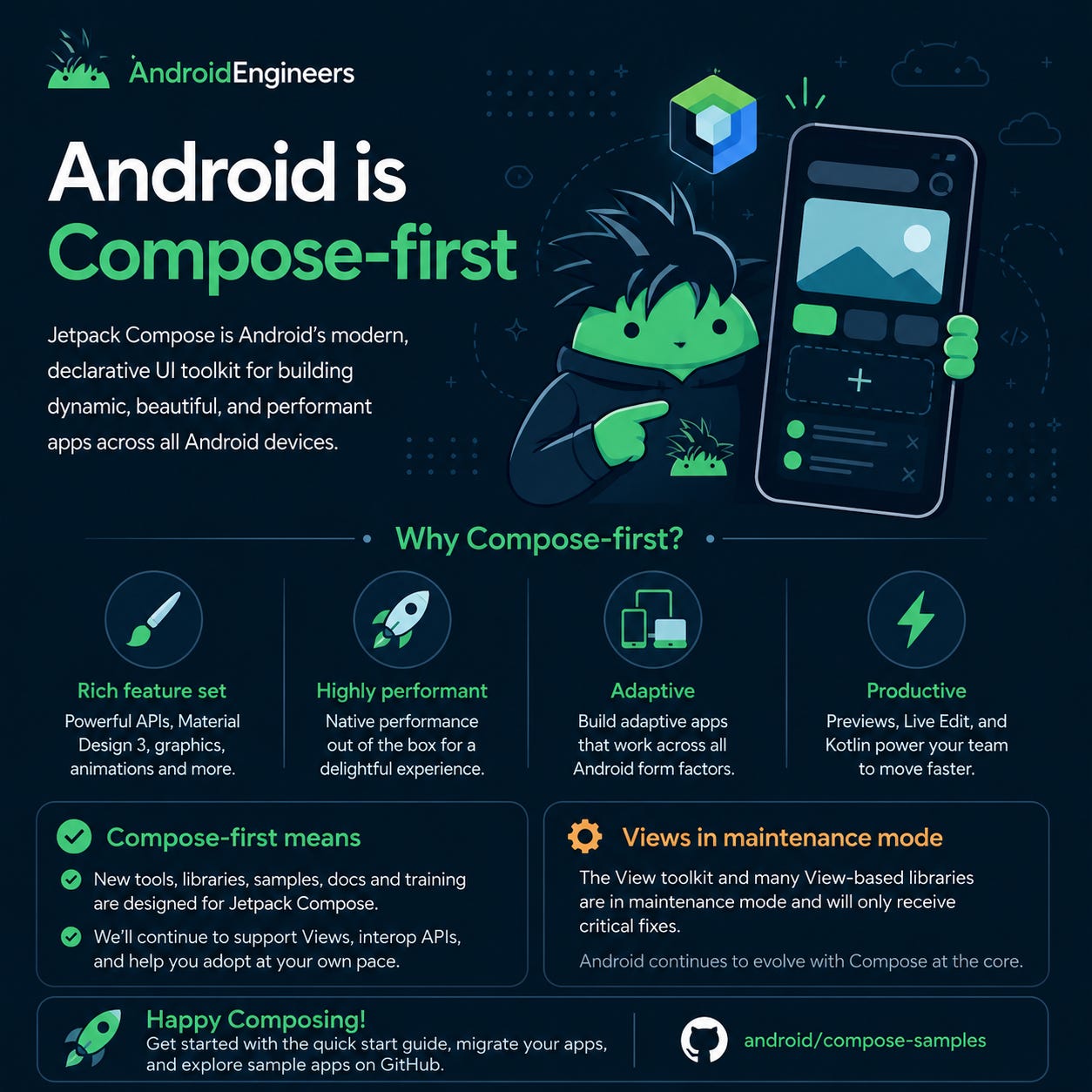
2. Android is Officially Compose-first
One of the most impactful announcements:
Jetpack Compose is now the official standard for Android UI.
Google confirmed:
All future Android APIs will prioritize Compose
Libraries and tooling will be Compose-first
Documentation and guidance will focus on Compose
View-based UI components are now in maintenance mode
This includes:
RecyclerView
Fragments
ViewPager
Material Views
ConstraintLayout
Many legacy View-based Jetpack libraries
They will continue receiving:
✅ Critical fixes
❌ Major innovation
Compose is now the future of Android UI development.
3. Compose 1.10 & 1.11 Bring Massive Improvements
Google introduced major Compose upgrades.
Key additions include:
Styles API (experimental)
Shared Element Transition improvements
Better testing APIs
Retain API
New TextFieldState
Better animations
Hybrid View + Compose improvements
The new Styles API is especially exciting.
It separates:
UI behavior
UI appearance
making customization dramatically easier.
It also supports:
State-aware styling
Responsive animations
Reduced recompositions
Better performance out of the box
Compose continues becoming more powerful and production-ready.
4. Compose Performance Keeps Improving
Google showcased huge performance improvements in Compose.
Compose 1.11 improves:
Scroll performance
Startup speed
Hybrid UI performance
Rendering efficiency
Google also released:
New benchmark tooling
that compares:
Compose
Views
Hybrid UIs
Real-world companies are already seeing massive improvements.
TikTok reported:
20–30% improvements
Up to 78% faster experiences on some screens
Compose is now not only more productive —
it’s also extremely performant.
5. Android CLI 1.0 is Now Stable
Android CLI officially reached:
Stable 1.0
This is a huge step toward AI-native Android development.
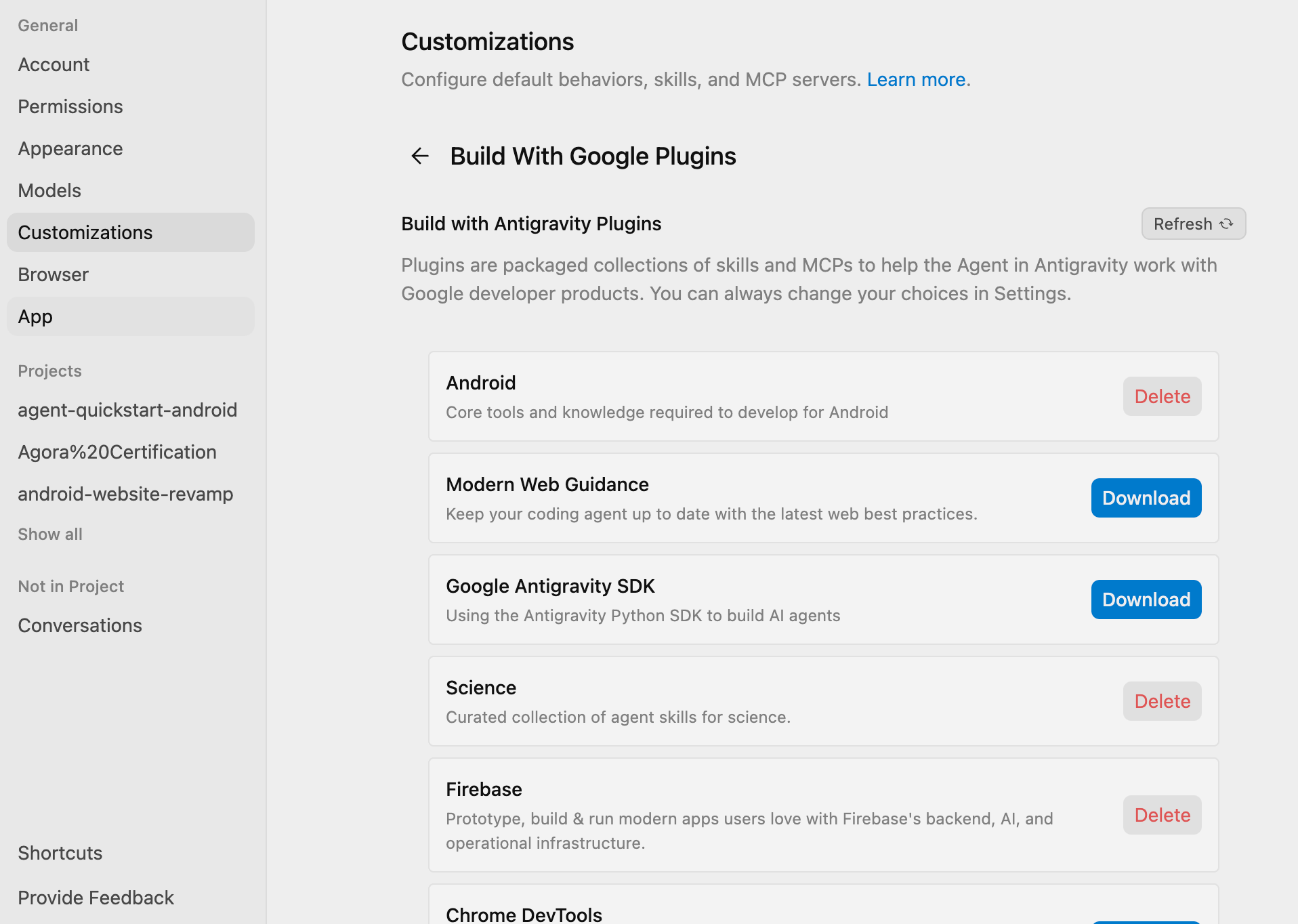
Settings > Customizations > Build With Google Plugins
Android CLI enables:
Gemini
Claude
Codex
Antigravity
Other AI agents
to interact deeply with Android projects.
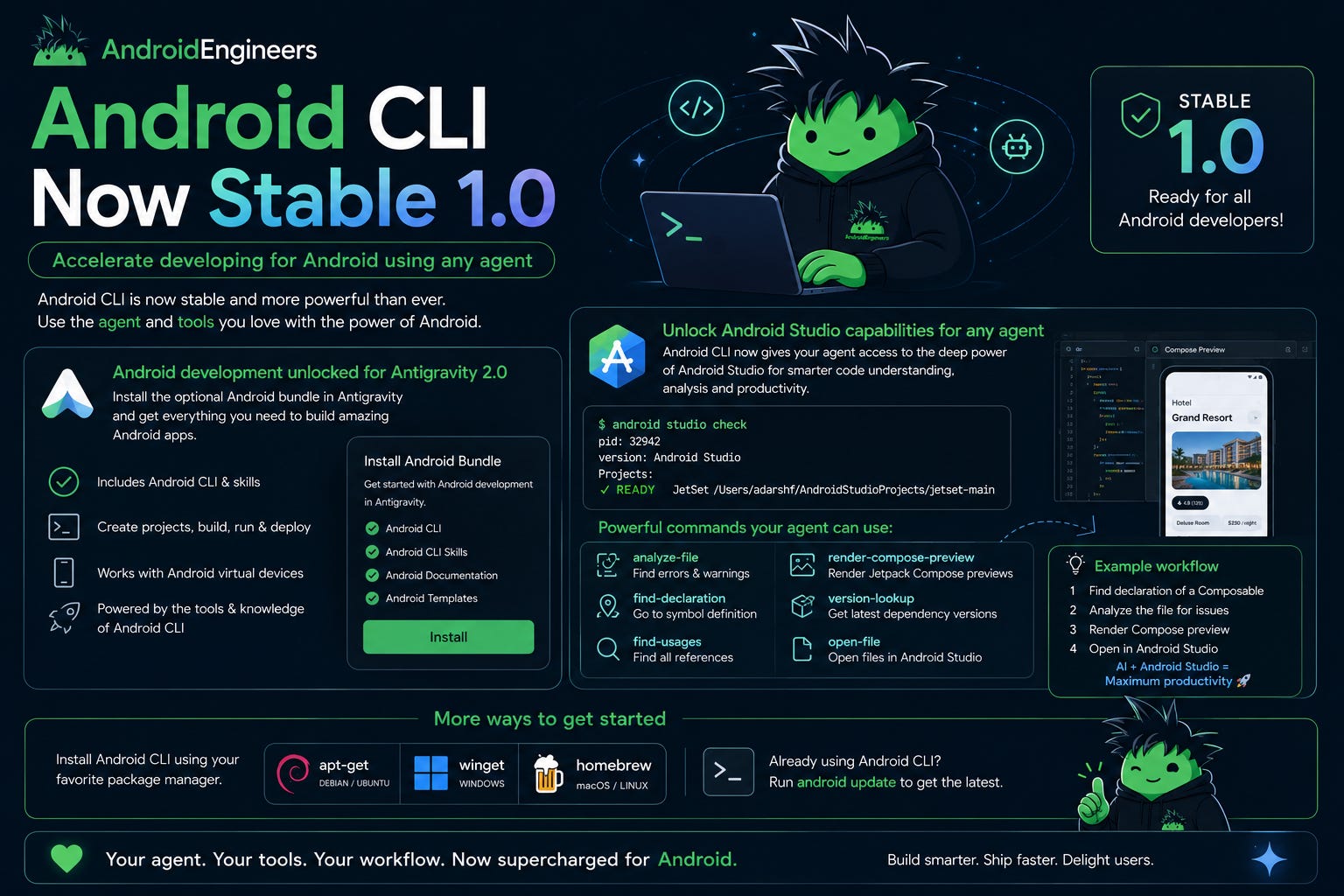
New Android CLI capabilities include:
Semantic code analysis
Find declarations/usages
Render Compose previews
Analyze warnings/errors
Dependency lookups
UI testing workflows
Android Studio integration
This essentially transforms AI agents into Android-aware development assistants.
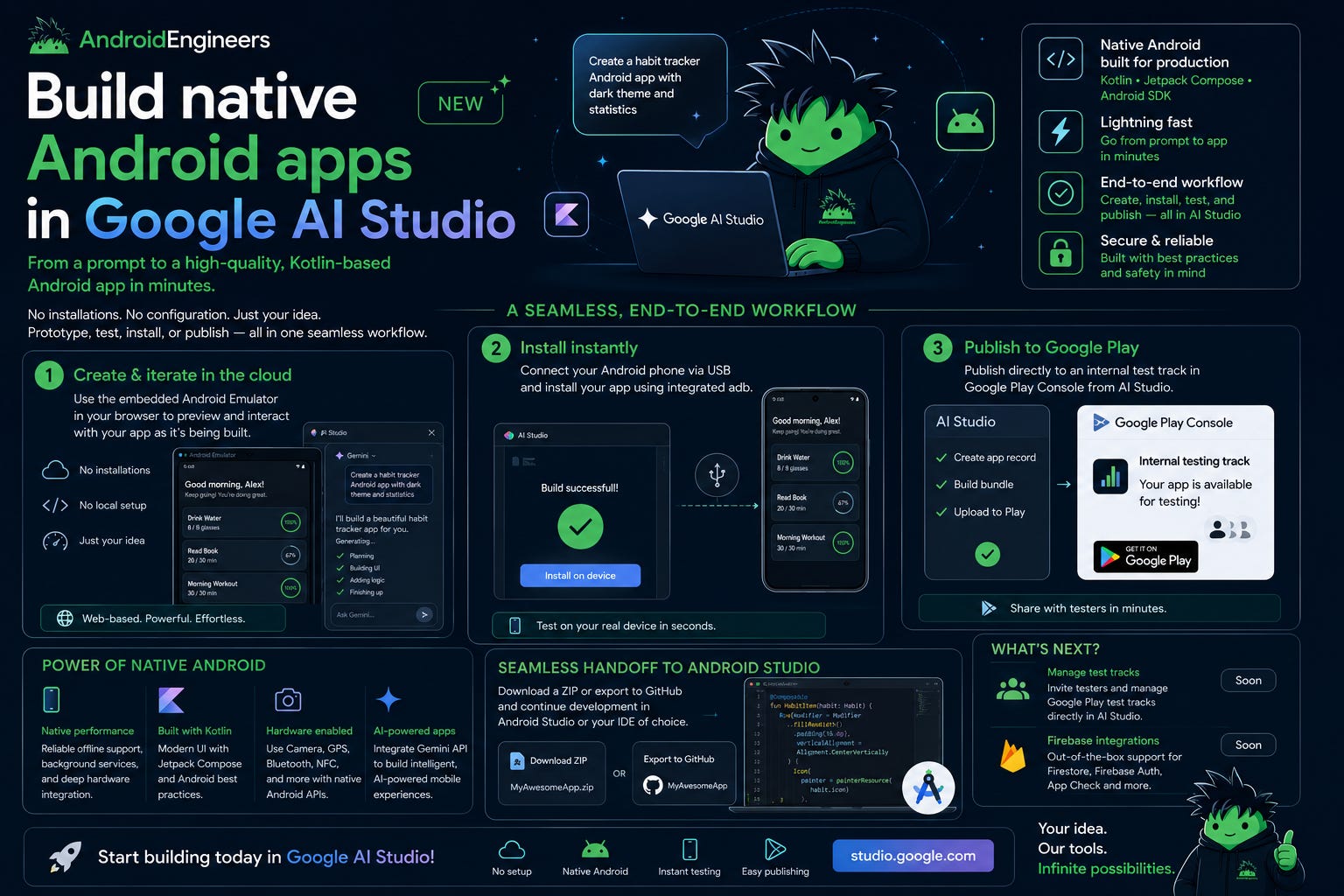
6. Google AI Studio Can Build Native Android Apps
This was one of the wildest announcements from I/O.
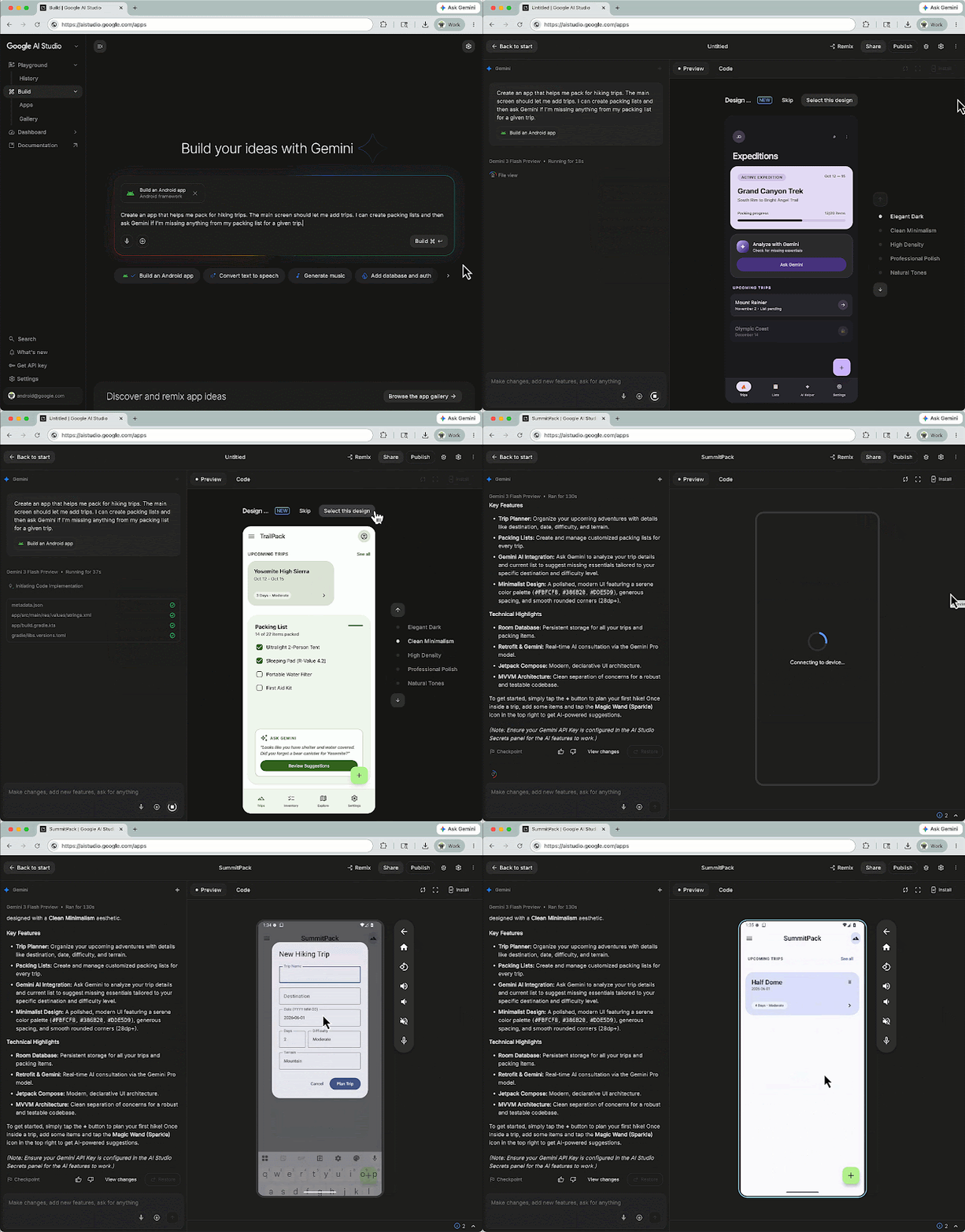
Google AI Studio can now:
Build entire native Android apps from prompts.
Developers can:
Generate Kotlin apps
Use Jetpack Compose automatically
Preview apps in browser
Run Android emulators in the cloud
Install directly to devices
Publish to Play testing tracks
No Android Studio setup required.
This massively lowers the barrier to Android development.
7. Migration Assistant Converts iOS Apps to Android
Google introduced:
Android Studio Migration Assistant
It helps convert:
iOS apps
React Native apps
Web apps
into native Android apps.
The assistant can:
Convert storyboards
Migrate assets
Map features
Generate Compose UI
Apply Android best practices
What used to take weeks can now take hours.

8. Android Studio AI Tools are Getting Smarter
Google is deeply integrating AI into Android Studio.
New AI-assisted tools can:
Convert XML → Compose
Understand project styles/resources
Create screenshot tests
Compare before/after UI
Assist migrations automatically
Android Studio is becoming an AI-native IDE.
9. Android is Adaptive by Default
Android is no longer phone-first.
Google is pushing Android across:
Foldables
Tablets
TVs
Cars
XR
Wear OS
ChromeOS
Premium laptops
There are now:
580+ million large-screen Android users.
Adaptive design is no longer optional.
It’s expected.
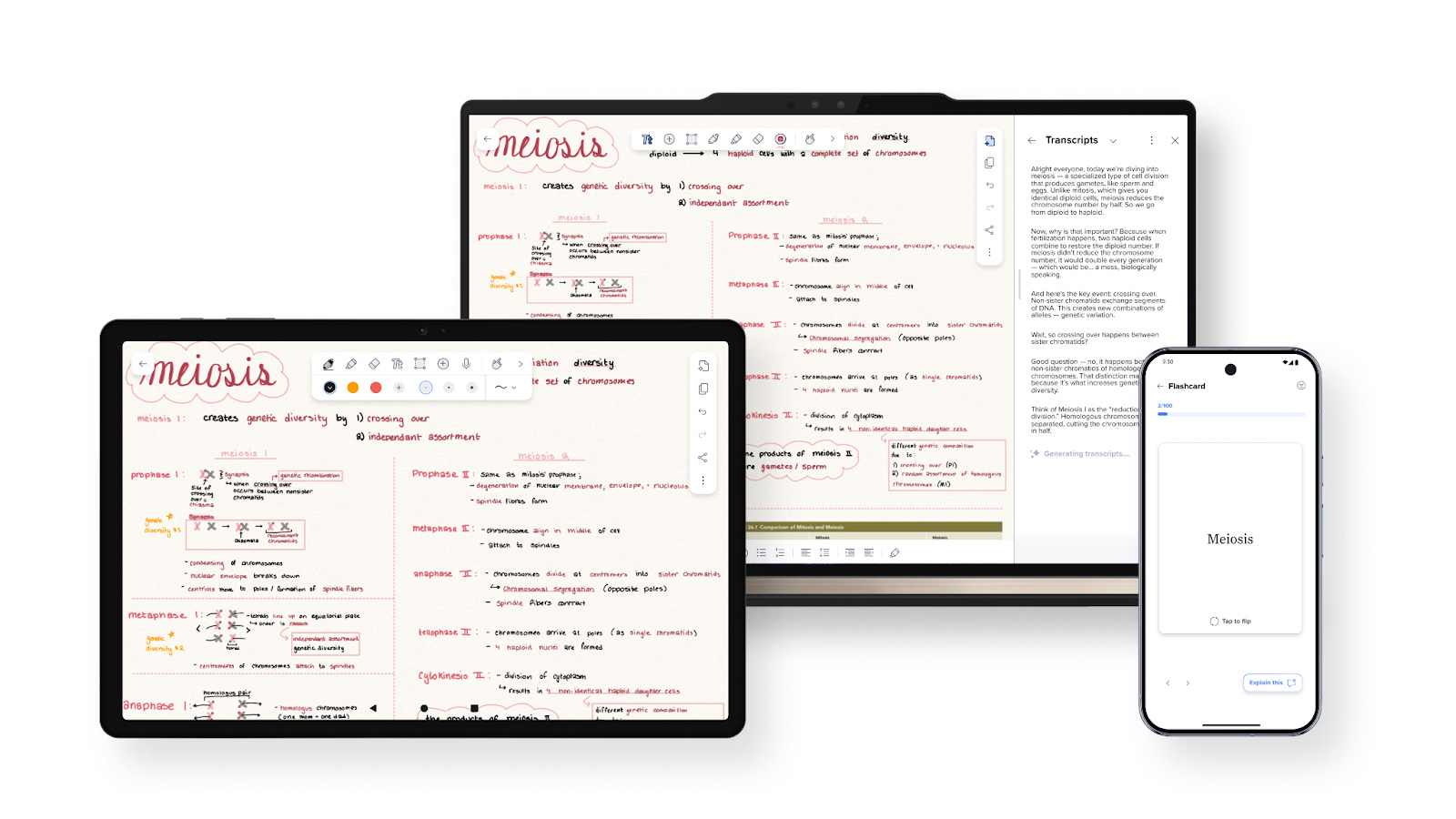
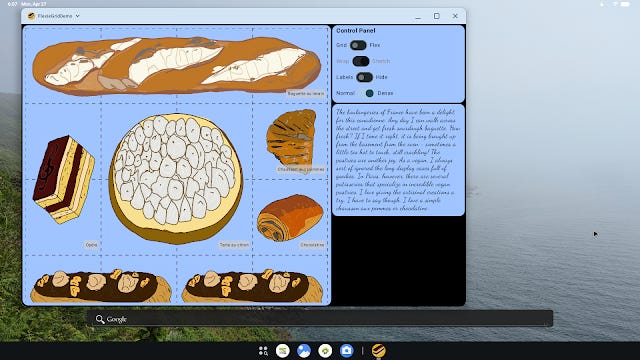
10. New Adaptive Compose APIs
Compose 1.11 introduces:
MediaQuery
FlexBox layouts
Grid layouts
These APIs help apps adapt across:
Phones
Tablets
Desktop
XR
Foldables
TVs
Google also improved:
Non-touch input support
Keyboard handling
Pointer precision handling
Adaptive Compose is evolving rapidly.
11. Android XR Continues Expanding
Android XR is becoming a serious platform initiative.
Google announced:
XR SDK improvements
Jetpack XR libraries
Geospatial APIs
GODOT support
Unreal Engine support
Glimmer UI components
Display Glasses APIs
Google is also launching:
XR developer hardware programs
Audio glasses
Display glasses
Android XR is clearly part of Android’s long-term future.

12. Android Auto & Cars Get Major Upgrades
Google announced:
New Car App Library APIs
Flexible layouts
Media templates
Video support
Enhanced chips
Expandable headers
Better Android Auto parity
Developers can now:
Build once and support:
Android Auto
Cars with Google Built-in
more easily than ever.
13. Wear OS 7 is Here
Wear OS 7 introduces:
Better battery life
Navigation 3 support
Workout Tracker APIs
Better media controls
AppFunctions integration
AI-powered experiences
Google claims:
Up to 10% better battery life.
Compose for Wear OS also continues improving rapidly.
14. Android 17 Performance Improvements
Android 17 brings major low-level performance upgrades.
Key improvements:
Lock-free MessageQueue
Vulkan-first graphics stack
Better hybrid rendering
Faster tracing tools
Better scheduling
Google even claims:
Up to 5000x faster performance in some contention scenarios.
Android is becoming significantly more optimized under the hood.
15. Memory Optimization is a Huge Focus
Android 17 introduces stricter memory management.
Google announced:
Memory limits
Memory telemetry in Play Console
LeakCanary integration
Better profiling tools
Memory anomaly detection
Generational Garbage Collection
This helps Android:
Reduce memory leaks
Improve battery efficiency
Support constrained hardware better
Memory optimization is now a platform priority.
16. Smarter Optimization with R8
Google introduced:
R8 Configuration Analyzer
This helps developers:
Shrink APKs
Improve startup time
Optimize ProGuard rules
Reduce unused code/resources
Companies are already seeing major wins.
Tinder reduced APK size by 28%.
Google is also adding:
R8 insights inside Play Console
AI-assisted optimization workflows
17. AI-Powered Android Experiences & AppFunctions
Google is pushing Android toward:
Agentic experiences.
New features include:
AppFunctions
MCP integrations
Gemini orchestration
AI-powered automation
Apps can now expose capabilities directly to AI agents.
Examples:
Follow topics
Bookmark articles
Send content between apps
Execute workflows automatically
Android apps are evolving into:
AI-participating systems.
This is a major paradigm shift.
Googlebook: Android’s Desktop-Class Future
Google introduced:
Googlebook
A new high-performance laptop experience designed around Android apps and adaptive UI.
This is a major signal that Android is evolving far beyond phones and tablets.
Googlebook provides:
Large-screen Android experiences
Desktop-class multitasking
Better keyboard + mouse workflows
Improved productivity environments
Enhanced adaptive layouts
Google emphasized that:
Apps built with adaptive principles today will automatically work better on Googlebook.
Android 17 Also Brings Major Security & Privacy Upgrades
Google announced:
OTP protection
Better passkeys
Credential Manager improvements
Privacy-preserving pickers
Local network permission protections
Better Health Connect integrations
Android continues balancing:
✅ AI
✅ Intelligence
✅ Privacy
✅ Security
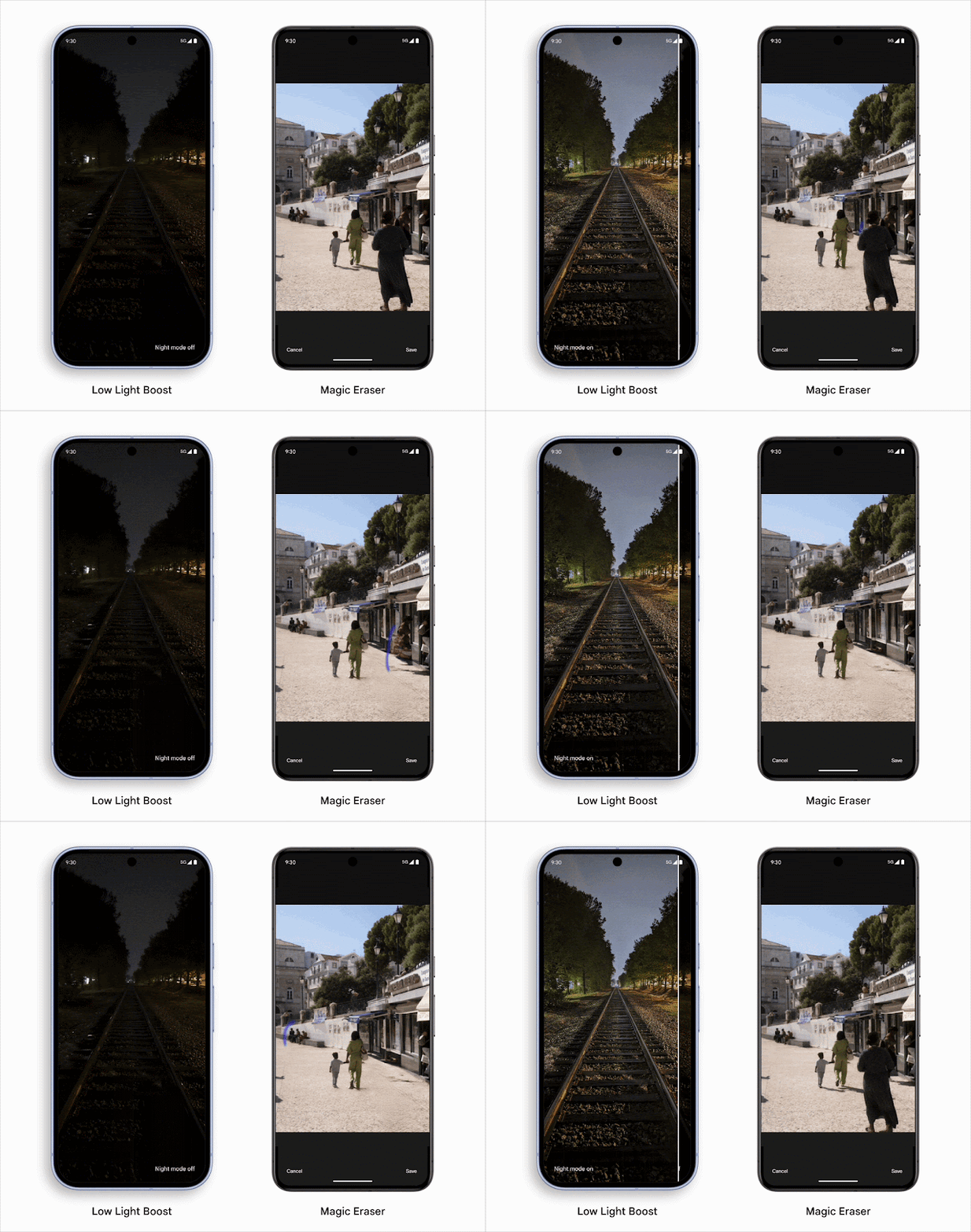
Better Media APIs & AI Video Tools
Android 17 introduces:
AI image enhancement
AI upscaling
Tone mapping
Denoising
Better HDR
Media3 upgrades
CameraX improvements
All of this can now run:
Fully on-device.
Meaning:
Lower latency
Better privacy
No server cost
Widgets Are Becoming More Important
Widgets are evolving dramatically.
Google announced:
Better Glance support
RemoteCompose
Adaptive widgets
Widget animations
Widgets for cars
Better large-screen support
Widgets are now a core Android ecosystem strategy.
Final Thoughts 💚
Google I/O 2026 wasn’t just another Android release cycle.
It marked:
The beginning of a new Android era.
Android is becoming:
AI-native
Compose-first
Agent-aware
Adaptive
Multi-device
Contextual
Intelligent
The Android ecosystem is evolving faster than ever.
And honestly?
This is one of the most exciting times in Android development history.
The future of Android is:
✨ Intelligent
✨ Adaptive
✨ AI-powered
✨ Ambient
✨ Cross-device
And we’re just getting started 🚀