
I Built and Published an Android App in One Day Using Gemini, Stitch, AI Studio, and Android Studio. Here's My Honest Experience.
The gap between an idea and a published Android app has never been smaller.

Today, I decided to run a simple experiment.
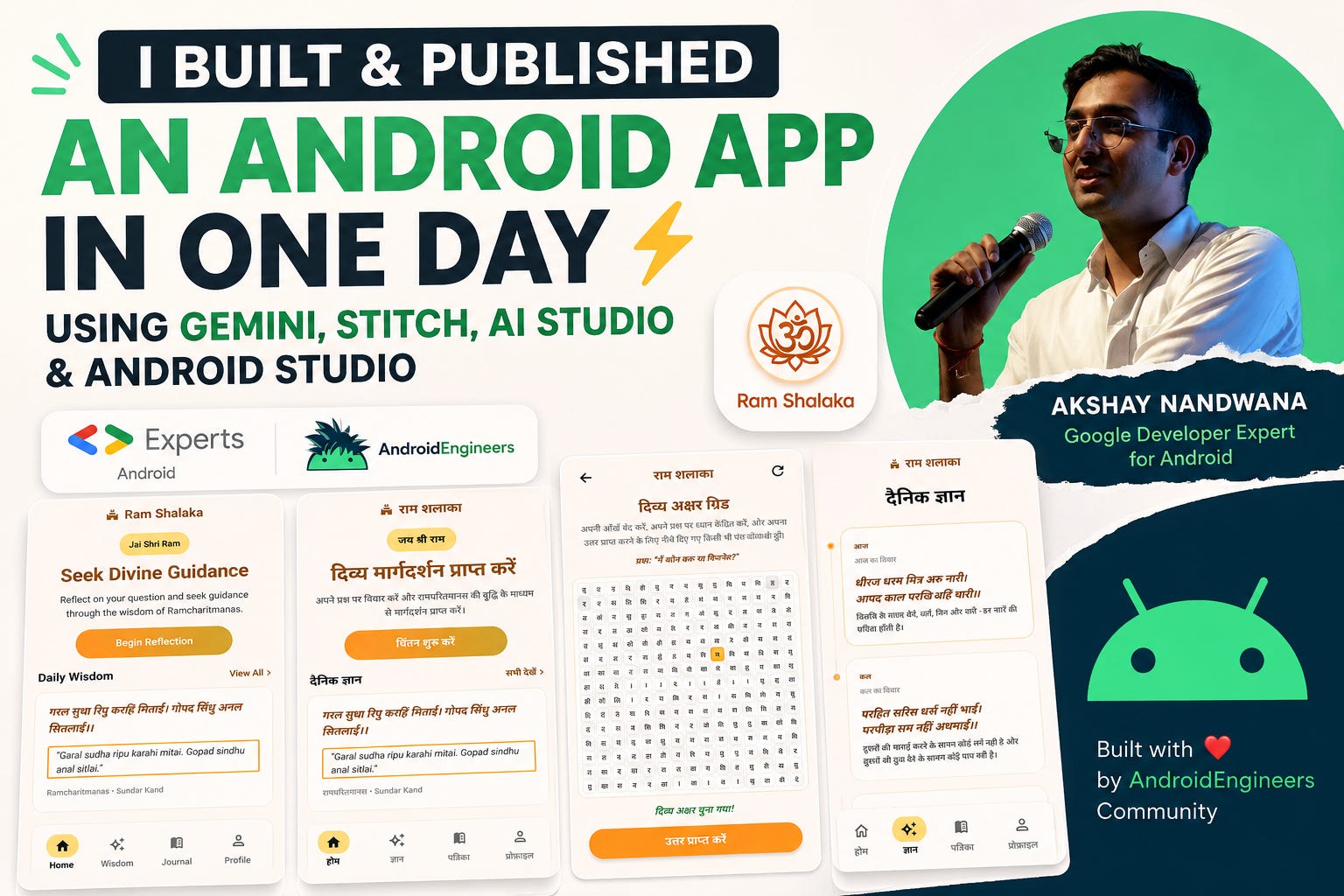
Could I take an idea, use Google’s latest AI-powered development tools, build a complete Android application, publish it to the Play Store, and document what actually works—and what still needs improvement?
The result was Ram Shalaka, a spiritual guidance application inspired by the traditional Shri Ram Shalaka Prashnavali from the Ramcharitmanas.
More importantly, the journey itself became a fascinating glimpse into where Android development is heading.
And honestly?
We’re much closer to true AI-assisted app development than most developers realize.
The Idea: Building Ram Shalaka
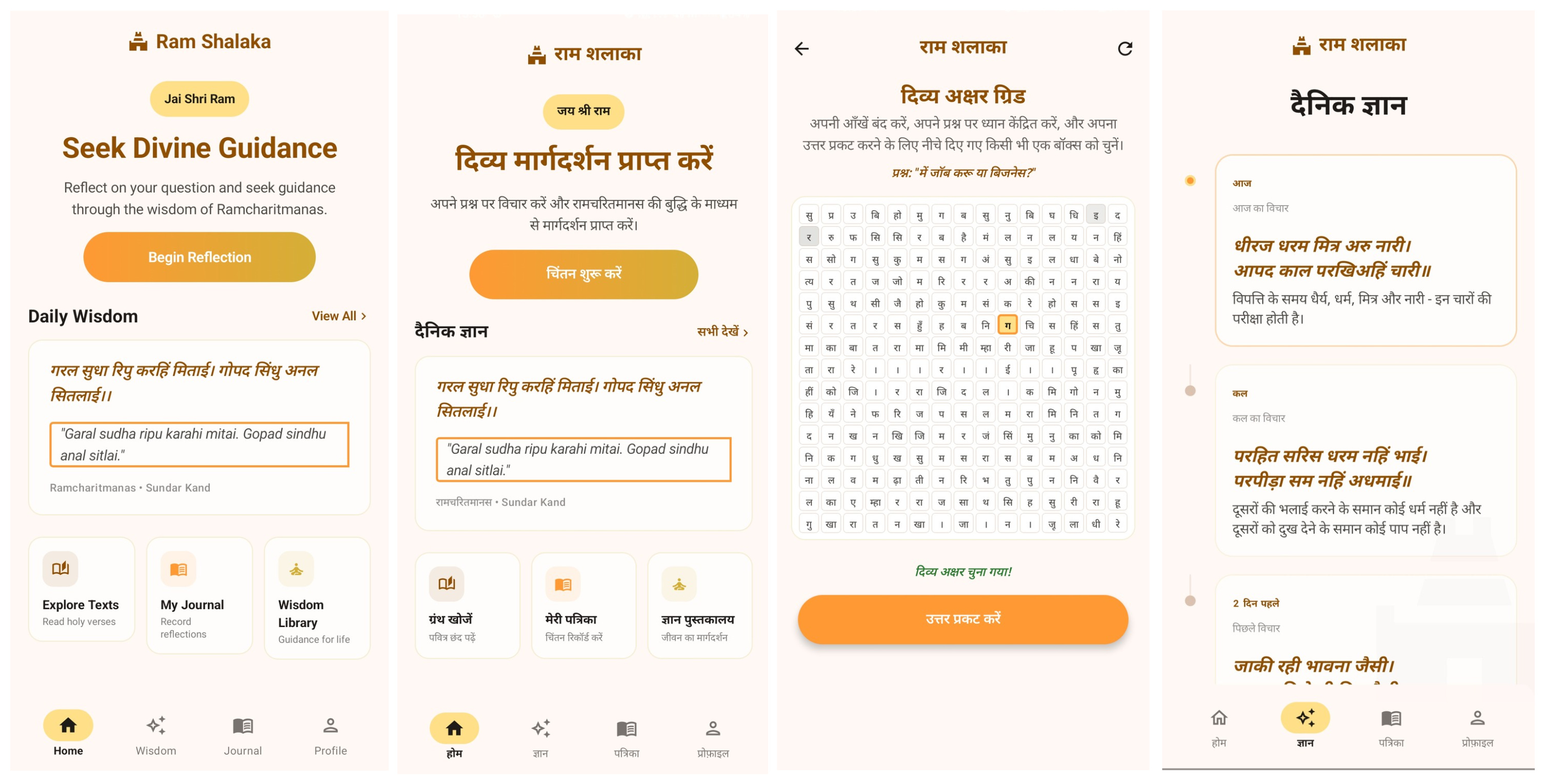
For those unfamiliar with the tradition, Shri Ram Shalaka is a spiritual guidance practice where a seeker reflects on a question, selects a letter from a sacred 15×15 grid, and receives a corresponding Chaupai (verse) from the Ramcharitmanas.
The app I built includes:
Guided reflection flow
Interactive 15×15 sacred letter grid
Traditional 9th-letter rule algorithm
Spiritual journal with persistence
Wisdom library with searchable verses
Daily wisdom section
Full English and Hindi support
Modern Material 3 design using Jetpack Compose
Step 1: Starting with Google Stitch
The biggest surprise of this project was how useful Google Stitch has become.
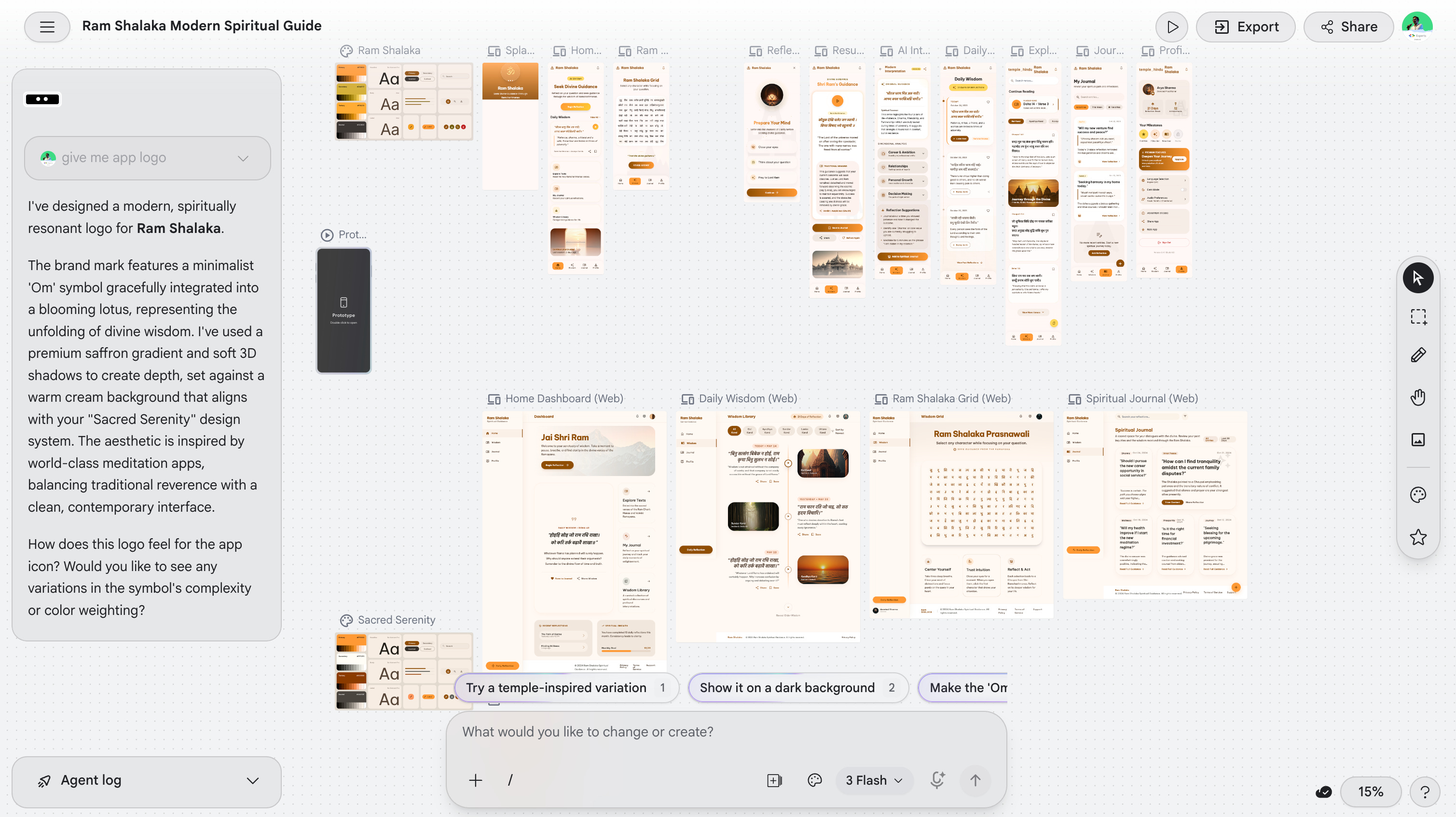
Instead of starting with wireframes, Figma files, or manually creating screens, I began with Stitch and focused entirely on describing the experience.
The workflow felt remarkably natural:
Describe the screens
Iterate visually
Refine layouts
Export assets and code
Continue development elsewhere
One thing many developers might miss is that Stitch isn’t just a standalone tool anymore.
The export capabilities make it surprisingly easy to move between:
Google Stitch
AI Studio
Android Studio
Other AI-assisted workflows
This interoperability is what makes the experience powerful.
Rather than locking you into a single environment, Stitch becomes a starting point in a larger development pipeline.
Step 2: AI Studio Can Generate Entire Android Apps Now
This was probably the most impressive part of the entire experiment.
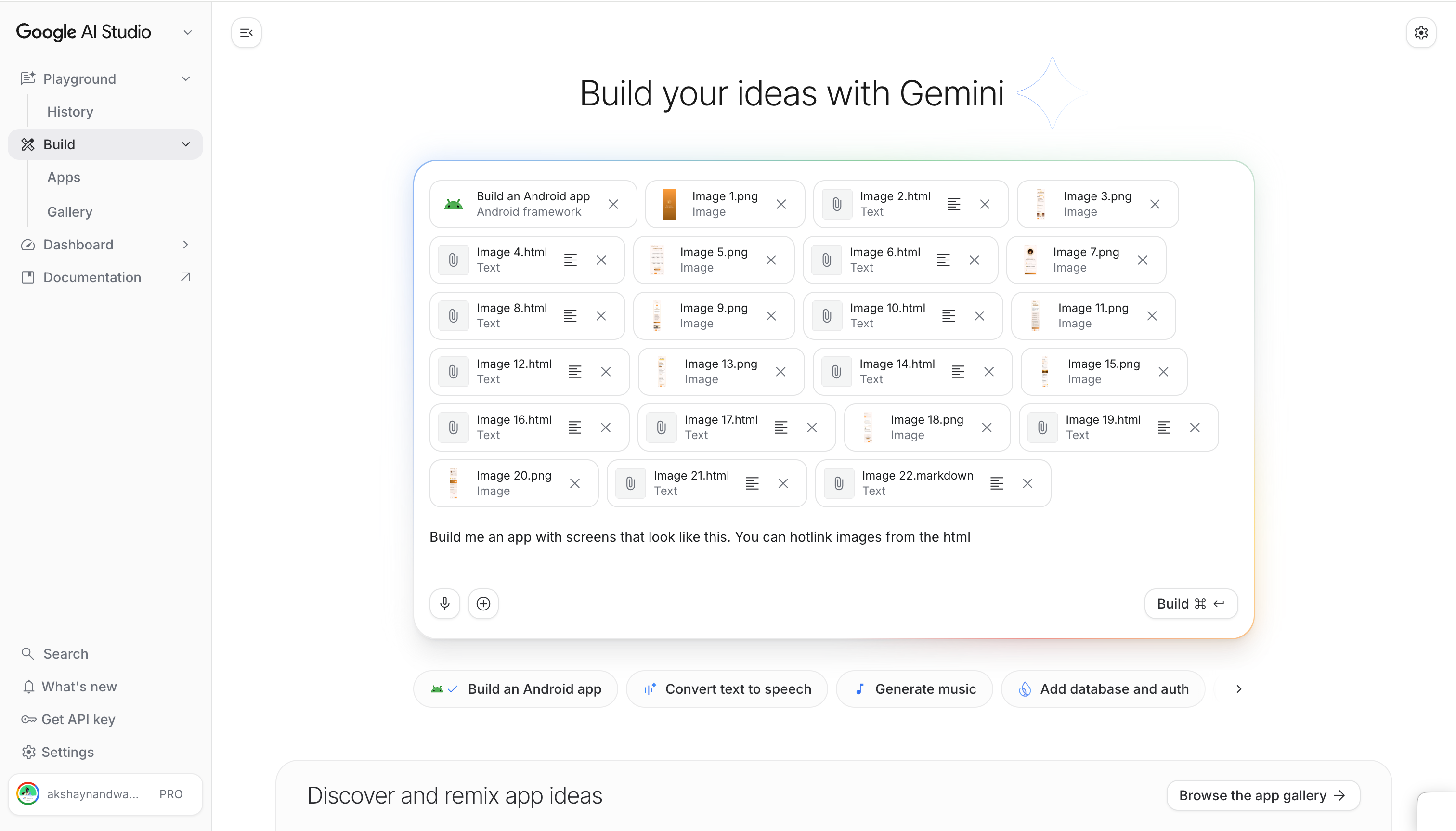
Using Google AI Studio with Stitch connectivity, I was able to generate the foundation of the entire application from a single prompt.
Let that sink in for a moment.
Not a screen.
Not a component.
Not a UI mockup.
An actual Android application structure.
Navigation.
Compose screens.
Architecture.
Flows.
State handling.
All generated from a prompt.
Now, before anyone panics about AI replacing Android engineers, let’s be realistic.
The generated code still required:
Review
Refinement
Bug fixes
Architecture validation
Android-specific improvements
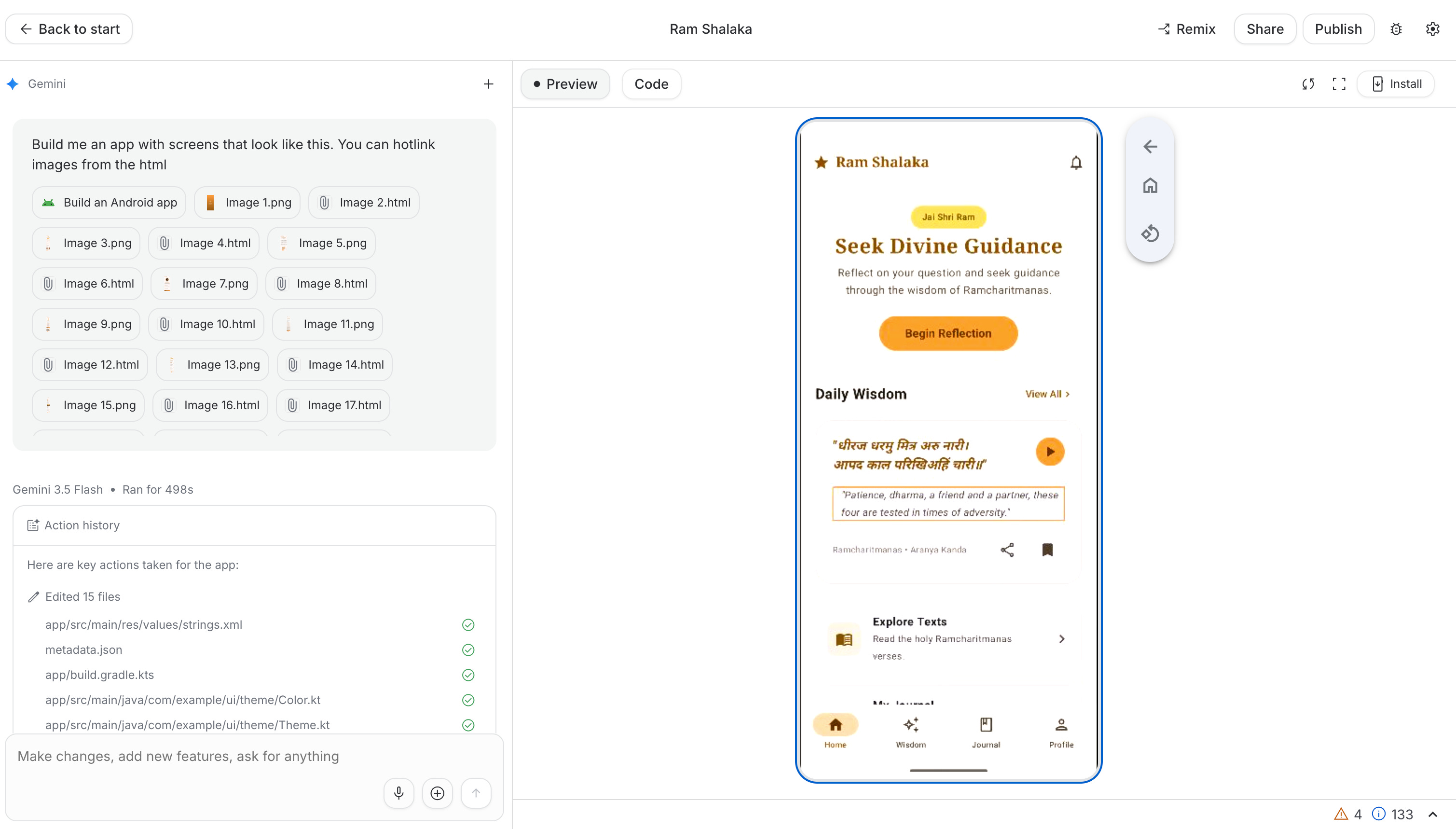
But as a starting point?
It’s incredibly powerful.
The workflow I would recommend today is:
Start with Stitch
Connect through AI Studio
Generate the foundation
Export the code
Move into Android Studio
Finish the app like an Android engineer
That’s where the real productivity boost happens.
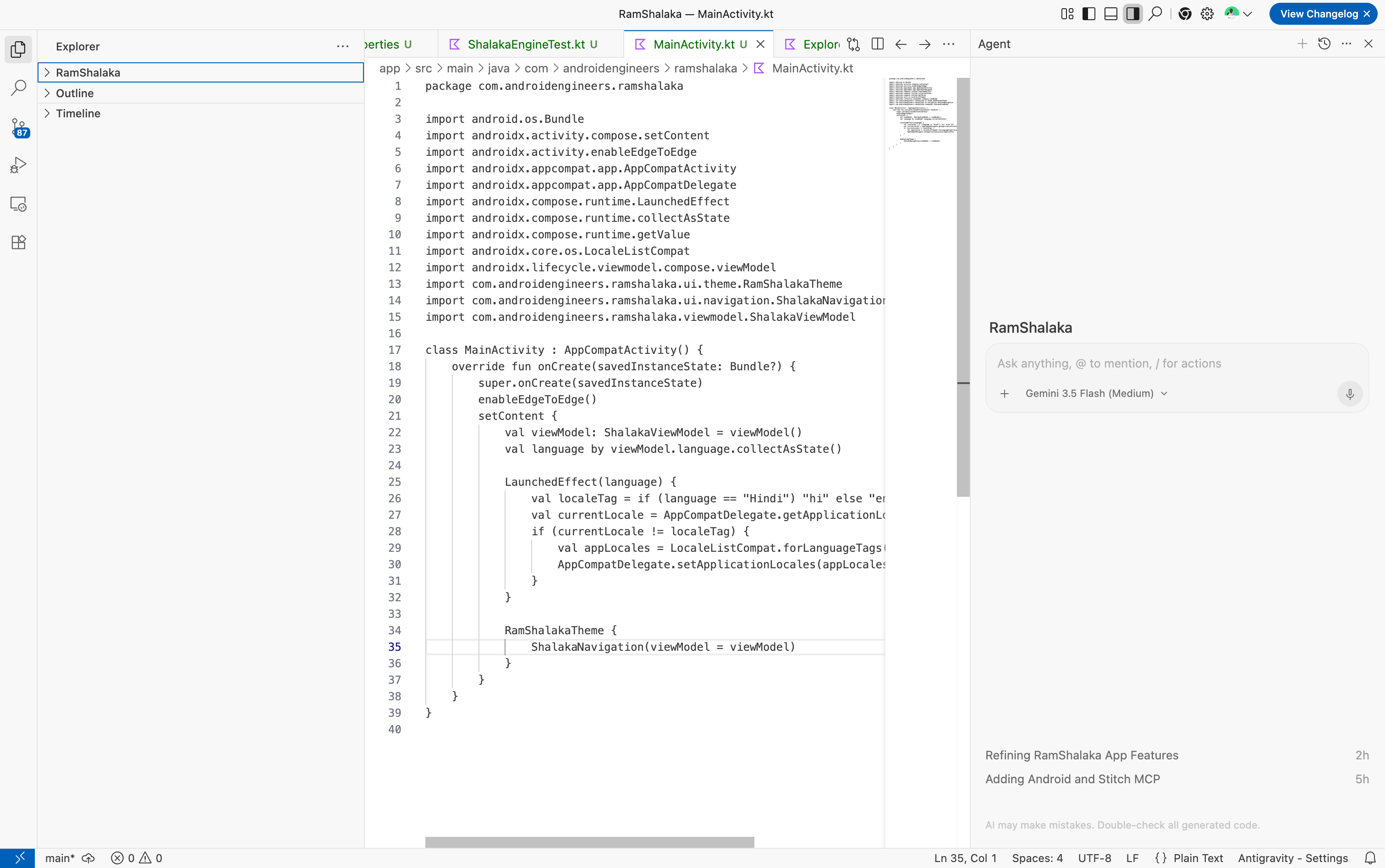
Step 3: Using Antigravity IDE + Gemini
Initially, I continued development using Antigravity IDE with Gemini 3.5 medium.
One thing I really liked was the visibility.
Unlike some agent experiences where code generation feels like a black box, Antigravity allowed me to continuously see:
What was changing
Which files were being modified
How the project evolved
As developers, visibility matters.
We don’t just want output.
We want understanding.
For the first part of development, this workflow worked exceptionally well.
Unfortunately, after multiple iterations and fixes, I hit token limitations despite being on an AI Pro plan.
That forced me to shift the project into Android Studio’s Gemini experience.
Step 4: Gemini Agent Mode Inside Android Studio
This is where things became interesting.
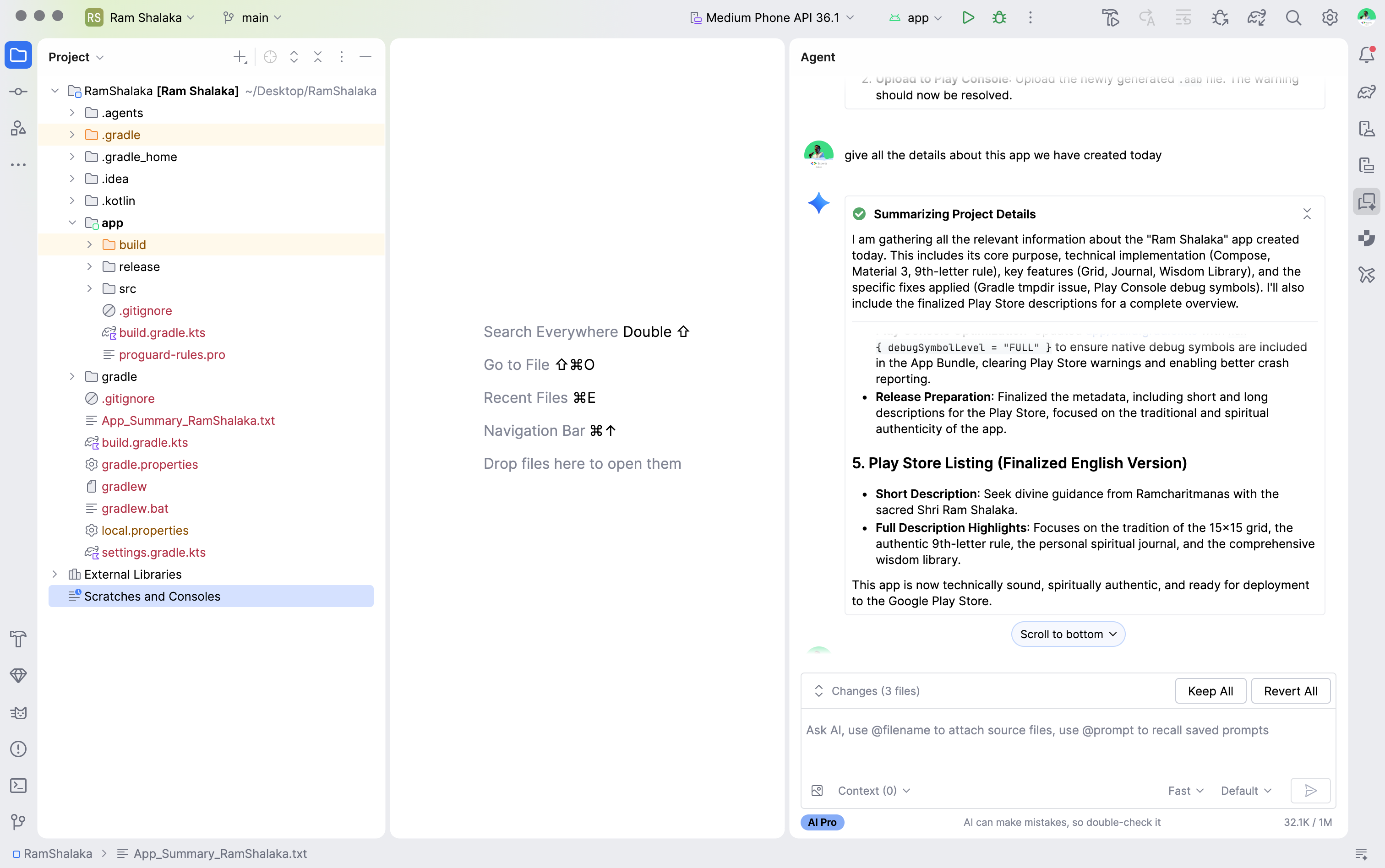
Overall, Gemini Agent Mode in Android Studio is genuinely useful.
In many cases it can:
Navigate project structures
Modify multiple files
Generate Compose code
Fix build issues
Update resources
Help with Gradle configuration
For Android developers, having AI directly inside the IDE feels much more natural than constantly switching browser tabs.
However, I still think there’s an important gap.
The Android Context Problem
Gemini understands Android.
But sometimes it doesn’t understand enough Android.
There were moments where generated solutions were technically valid but lacked deeper Android-specific context around:
Architecture decisions
Compose best practices
State management
Long-term maintainability
Production readiness
This isn’t unique to Gemini.
Most coding agents struggle here.
The difference between:
“Code that works”
and
“Code an experienced Android engineer would ship”
is still significant.
As developers, we need to remain responsible for that final layer of judgment.
The UX of AI Coding Tools Still Matters
One observation I don’t hear enough people discussing:
The quality of the AI model is only part of the experience.
The quality of the UI matters too.
When using Gemini Agent Mode, I’d love improvements around:
Easier text selection
Better scrolling behavior
Improved conversation navigation
More flexibility while reviewing outputs
This is an area where tools like Codex often feel smoother.
The interaction model feels lighter and more developer-friendly.
As agents become more capable, developer experience will become just as important as model intelligence.
Play Store Asset Preparation Got Easier
One small but surprisingly useful improvement was Play Console’s asset handling workflow.
Instead of constantly switching between design tools to resize screenshots or match required aspect ratios, I was able to quickly crop and adjust assets directly during the publishing process.
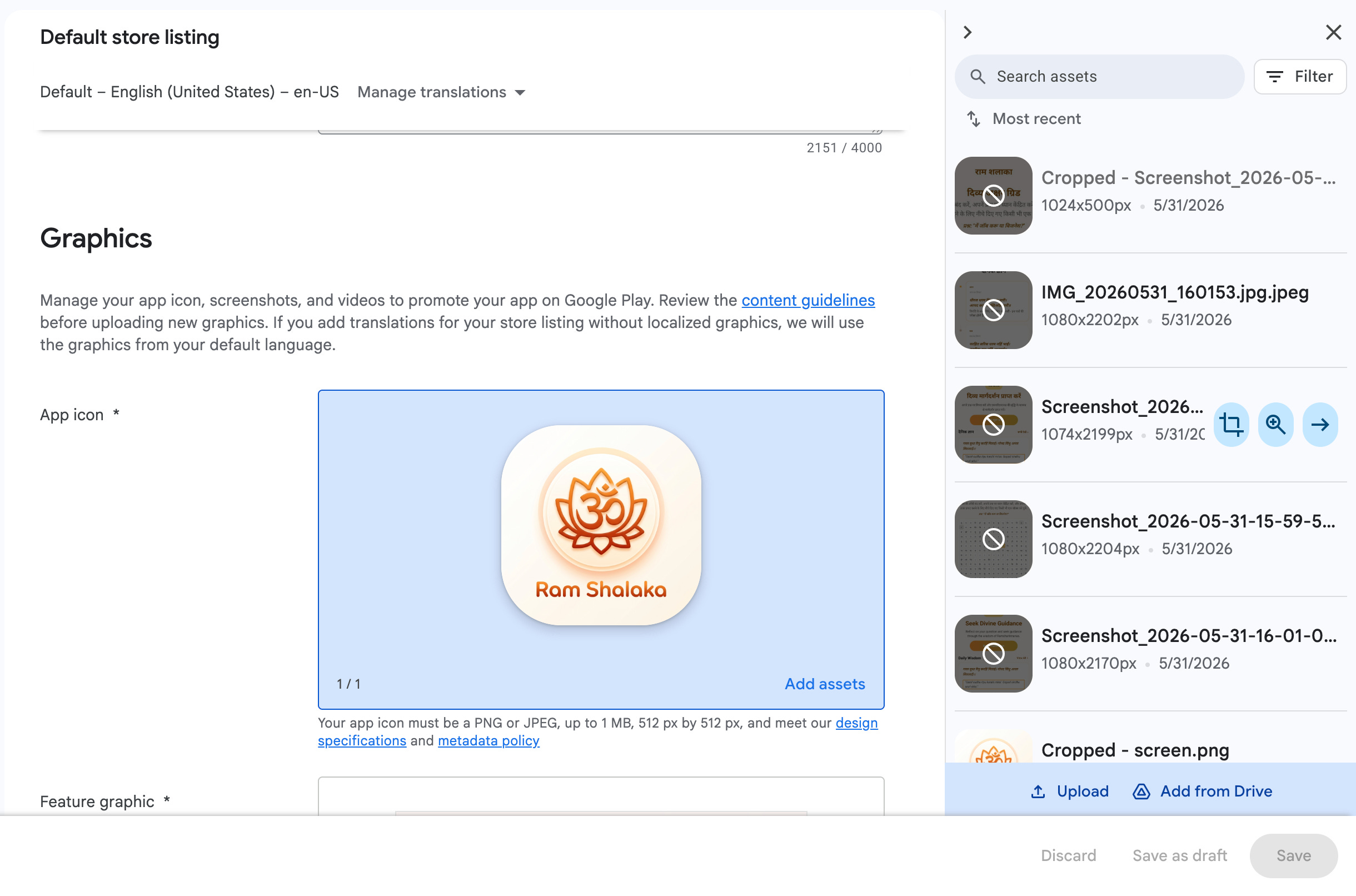
It may sound minor, but for indie developers and side projects, reducing this kind of friction makes the journey from finished app to published app noticeably smoother.
Building the App Was Easier Than Publishing It
Ironically, the hardest part wasn’t development.
It was publishing.
The Play Console experience has improved significantly over the years, but there are still moments where the process feels unnecessarily fragmented.
One example:
I completed most of the release flow only to discover I still needed to configure country availability.
Finding where that setting lived took longer than expected.
And this wasn’t the only example.
The publishing journey still involves a lot of:
Clicking around
Discovering missing requirements
Returning to previous sections
Re-validating information
Compared to the rapid speed of AI-assisted development, the publishing experience feels relatively old-fashioned.
Web Vibe Coding vs Android Vibe Coding
After spending the day building and shipping this application, I came away with one strong conclusion:
Web vibe coding is still easier.
It’s faster.
The feedback loop is shorter.
Deployment is simpler.
There are fewer platform-specific concerns.
Android development still carries complexity around:
Build systems
Gradle
Play Store requirements
Device compatibility
App lifecycle considerations
That said...
The gap is shrinking.
Rapidly.
With AI Studio now supporting Android application generation and Android Studio integrating deeper AI workflows, Android development is becoming dramatically more accessible.
We’re moving faster than ever before.
The Most Important Takeaway
As a Google Developer Expert for Android, what excites me isn’t that AI can generate code.
We’ve seen code generation before.
What excites me is that we’re finally seeing an end-to-end workflow emerge:
Idea → Design → Generate → Refine → Publish
inside a connected ecosystem.
Today, I started with a concept.
Within hours, I had:
A functioning Android application
Modern Compose UI
Navigation architecture
Localization
Play Store assets
Production-ready App Bundle
Published release candidate
That’s remarkable.
We’re entering a world where the bottleneck is no longer writing code.
The bottleneck is knowing what to build, how to validate it, and how to refine it into a great user experience.
And that’s exactly where experienced Android engineers become even more valuable.
AI can accelerate development.
But product thinking, platform expertise, and engineering judgment remain irreplaceable.
For now.
Final Verdict
What I Loved
✅ Google Stitch workflows
✅ AI Studio Android generation
✅ Gemini Agent Mode in Android Studio
✅ Faster UI creation
✅ Play Store asset generation
✅ End-to-end development speed
What Needs Improvement
⚠️ Better Android-specific context in generated code
⚠️ Improved Agent Mode UX
⚠️ Smoother Play Console publishing flow
⚠️ Better discoverability of release requirements
⚠️ Higher token limits for long-running development sessions
The future of Android development isn’t AI replacing developers.
It’s developers shipping better apps faster.
And after building and publishing Ram Shalaka in a 3-4 hours, I can confidently say:
We’re already there.