

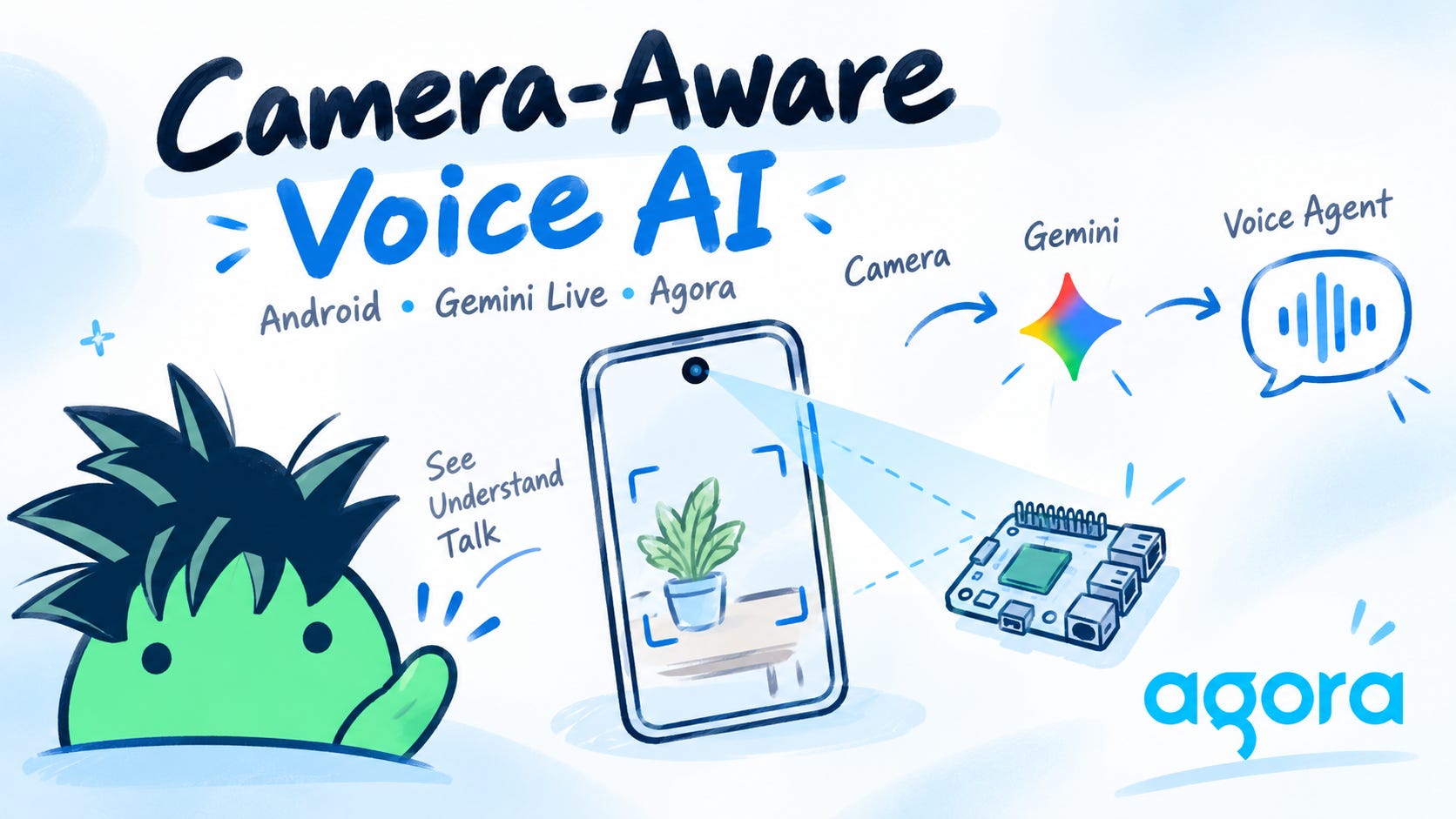
Live Lens is an experimental Android demo where a user can point their phone camera at a real-world workspace and talk to an AI agent while the session is running.
The project is built on top of the Agora Conversational AI Android quickstart. It combines a Kotlin + Jetpack Compose Android app, Agora realtime voice infrastructure, a small Python backend, Gemini Live for voice conversation, and Gemini Vision for camera-frame understanding.
Repository:
github.com/AgoraIO-Conversational-AI/agent-quickstart-android
Demo video
The video version of this project should appear early in the article, before the implementation details. The main thing to communicate is the division of responsibilities:
Android camera feed → Gemini visual understanding → Agora real-time voice conversation
The phone becomes the agent’s eyes. Gemini handles the visual reasoning. Agora provides the realtime conversational layer around that reasoning: session start, RTC audio, agent audio, RTM events, interruption, and lifecycle control.

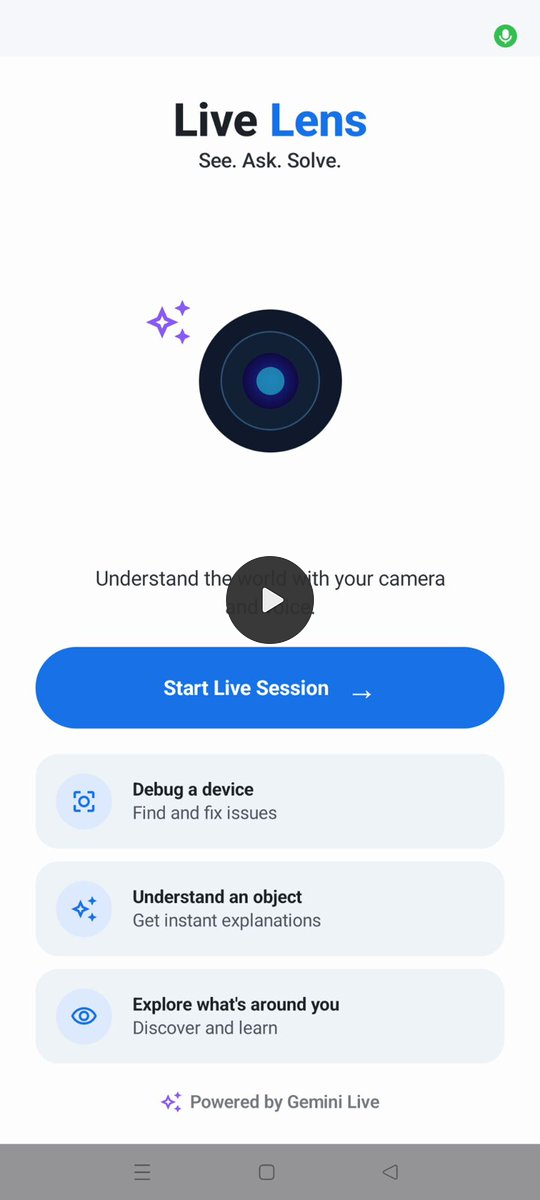

Live Lens running on a physical Android device: the user points the phone camera at a tic-tac-toe game on paper, makes moves naturally, and the agent responds with visual context during the same live voice session.
What the demo does
The Android app has a simple Live Lens flow:
• Start from a clean Compose home screen.
• Request camera and microphone permissions.
• Open a live camera session using Agora RTC preview.
• Start a realtime voice conversation with an Agora Conversational AI agent.
• Use the rear camera by default.
• Refresh visual context automatically, or manually with the eye button.
• Control camera switch, torch, zoom, mute, and session end from the camera screen.
The backend handles everything that should not live inside the Android app:
• Agora RTC and RTM token generation.
• Agora Conversational AI agent lifecycle.
• Gemini Live configuration through agora-agents==2.9.0.
• Gemini Vision calls for camera snapshots.
• Context injection back into the active voice agent.
The Android app only needs the backend URL. It does not contain the Agora App Certificate or the Gemini API key.
Architecture
The demo keeps the Android app focused on media and interaction, while the backend owns credentials, model access, and agent control.
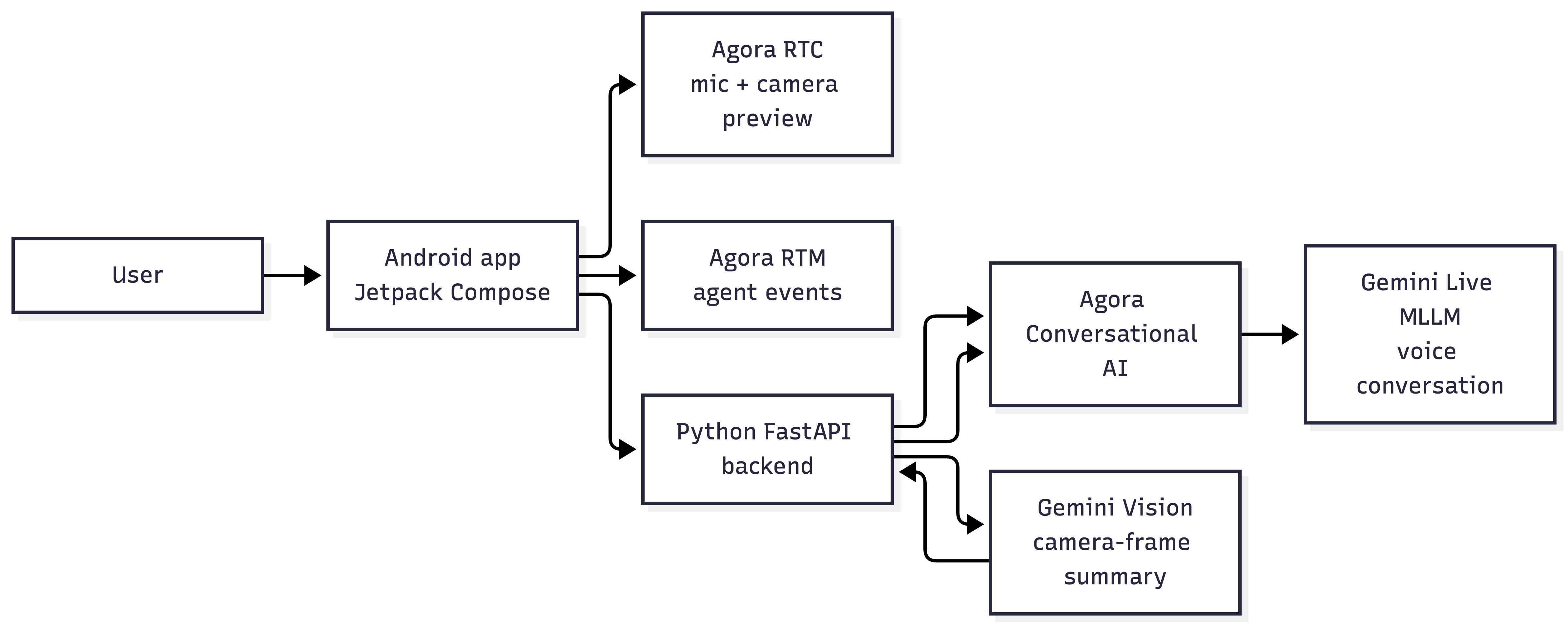
Agora is the realtime session layer. The phone joins an RTC channel, publishes microphone audio, shows local camera preview, and listens to agent events through RTM.
For camera understanding, the demo uses a hybrid approach. The Android app captures a local camera snapshot and sends it to the backend. The backend summarizes that image with Gemini Vision, then injects the summary into the active Agora agent as context.
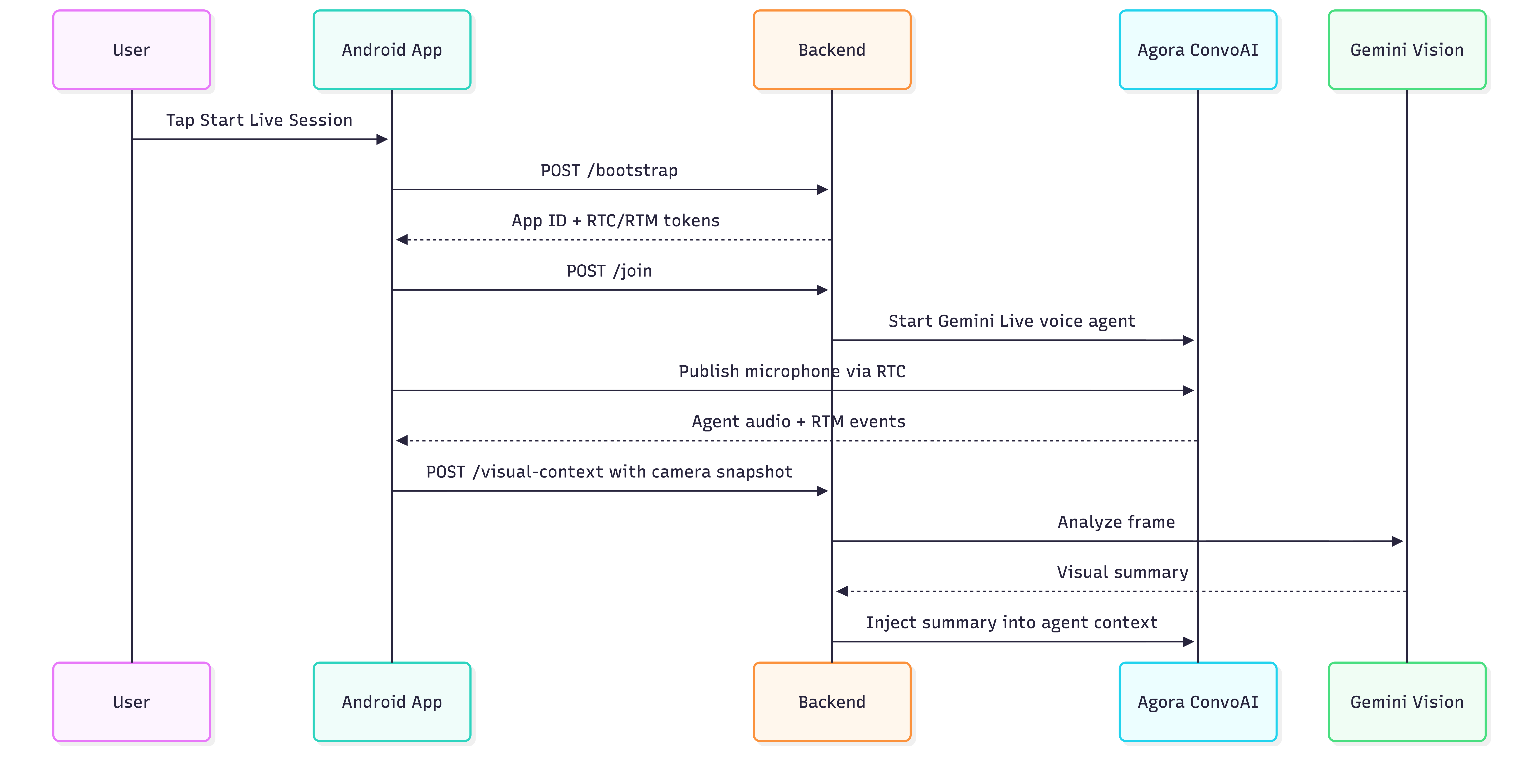
That distinction matters. The current Agora Gemini Live MLLM path is used for realtime voice. The camera is added through frame analysis and context injection, rather than direct continuous video ingestion into the MLLM. This keeps the demo practical while still making the agent feel aware of what the user is pointing at.
What Android engineers can learn
This repo is mainly a learning project for Android engineers who want to build Voice AI experiences that feel live, camera-aware, and production-shaped.
1. Voice AI is more than speech input
A useful voice AI app needs more than a microphone button. It needs session state, turn-taking, interruption, permission handling, realtime events, network recovery, and a clear way to stop the session.
Live Lens shows that shape on Android. The app starts a voice session, joins Agora RTC, receives RTM events from the agent, updates the Compose UI while the session is active, and gives the user controls for mute, interrupt, visual refresh, and end session.
2. Keep AI credentials and token generation off-device
Android apps are easy to inspect, so the client should not contain long-lived provider secrets. In this repo, the app does not generate Agora tokens and does not store the Gemini API key. It calls the backend, receives short-lived RTC/RTM tokens, and lets the backend start the agent.
That pattern matters for Voice AI apps because the backend usually owns model selection, agent configuration, token generation, and user authorization.
3. Model the voice session as app state
The camera screen is not just a preview. It is a live session UI with listening state, visual-context state, session duration, permission state, camera controls, and end-session behavior.
This is a useful Compose pattern: treat the Voice AI session as observable UI state, then render the screen from that state instead of scattering session logic across buttons and callbacks.
4. CameraX is great, but it is not always the right layer
CameraX is usually the first choice when you are building Android camera features: capture, preview, image analysis, barcode scanning, ML Kit, custom frame pipelines, and lifecycle-aware camera use.
Live Lens uses Agora RTC camera preview instead because the camera is part of a realtime communication session. We already need Agora RTC for microphone publishing, agent audio, and media session behavior. Keeping preview, camera switching, torch, zoom, and RTC publishing in the same media stack reduces the amount of camera plumbing needed for this demo.
If your app needs local computer vision on every frame, advanced camera controls, image analysis pipelines, or offline capture, CameraX would be a better fit. If your app is primarily a realtime communication or Voice AI session, Agora RTC preview can be the simpler layer.
5. Add camera awareness without pretending the agent sees video continuously
The demo uses a practical multimodal pattern: capture selected frames from the Android camera, send them to the backend, summarize them with Gemini Vision, and inject that summary into the ongoing voice conversation.
That gives the user a camera-aware Voice AI experience while keeping provider credentials on the server. It also makes the product behavior easier to explain: the agent gets periodic visual context, not a continuous raw video feed.
6. Test on a real phone early
Voice AI apps depend on real device behavior: microphone permissions, camera permissions, audio routing, network access, and app lifecycle. The repo supports local physical-device development with adb reverse tcp:8000 tcp:8000, so your phone can reach the backend at http://127.0.0.1:8000 over USB.
That makes it easier to iterate on the real experience instead of only testing the backend or emulator flow.
Running the demo
You need:
• Android Studio with JDK 17 or newer.
• Python 3.10 or newer.
• An Android device with camera and microphone access.
• Android platform-tools, especially adb.
• An Agora project with Conversational AI enabled.
• A Gemini API key.
Clone the repo:
git clone https://github.com/AgoraIO-Conversational-AI/agent-quickstart-android.git
cd agent-quickstart-android
Set up the backend:
python3 -m venv server/.venv

source server/.venv/bin/activate

pip install -r server/requirements-dev.txt

cp -n server/.env.example server/.env.local
Use the Agora CLI to write Agora project values into server/.env.local:
agora login
agora project env write server/.env.local --template standard
Add your Gemini config to server/.env.local:
GEMINI_API_KEY=your_google_gemini_api_key
LLM_MODEL=models/gemini-3.8-live
GEMINI_VISION_MODEL=models/gemini-3.8-flash
Start the backend:
./server/run.shIn another terminal, connect your Android phone over USB and forward the backend port:
adb reverse tcp:8000 tcp:8000Create or update root local.properties with only this client value:
QUICKSTART_SERVER_URL=http://127.0.0.1:8000Install the app:
./gradlew :app:installDebugOpen the app, tap Start Live Session, allow camera and microphone permissions, point the rear camera at something on your desk, and start talking to the agent.
If you cannot use adb reverse, expose the backend through a temporary HTTPS tunnel and set QUICKSTART_SERVER_URL to that public URL instead.
Keep keys out of Android
Do not put server credentials in the Android app.
These values should stay in server/.env.local:
• AGORA_APP_ID
• AGORA_APP_CERTIFICATE
• GEMINI_API_KEY
The Android local.properties file should contain only QUICKSTART_SERVER_URL. The repository includes placeholders in server/.env.example, but no real keys should be committed.
Why this demo is useful
Live Lens is a good Agora showcase because it demonstrates more than a voice bot. It shows Agora as the realtime voice and session backbone for an Android multimodal experience.
The demo is also a useful starting point for ideas like device debugging, repair assistance, field support, classroom labs, or guided product help. The user can show the phone camera what they are working on, talk naturally, and get help inside one live session.
There is plenty of room to extend it with smarter frame selection, richer visual memory, overlays, annotations, authentication, and production deployment. But the core loop is already here: see, ask, solve.